geo1007-labinstructions
GEO1007 - Installation guideline for Geoserver on Apache Tomcat
This guideline will explain where to download and how to install GeoServer.
The information is for Windows computers or laptops. If you use a Mac or Linux it should work the same way, but in case of problems contact the supervisors.
Download and installation of GeoServer
The latest stable release of GeoServer is version 2.28.3
Visit: http://geoserver.org/release/stable/ and choose as installation package the “Web Archive (war)” package.
Click on “Web Archive” to download (the name of the file will be: geoserver-2.28.3-war.zip).
Note: The download can take a while, because it is quite large (~100 MB).
When the file is completely downloaded: unzip it and move the file geoserver.war to the folder geo1007/apache-tomcat-<version>/webapps, so you will have added the following to the /webapps directory:
...
geo1007/apache-tomcat-<version>/webapps/geoserver.war
Start the Apache Tomcat web server (installed for lab1), with
bin/startup.bat on Windows, and ./catalina.sh run or bin/startup.sh on
Linux and Mac.
Because the geoserver.war file is in the webapps directory, Apache Tomcat will automatically ‘deploy’ GeoServer as a web application.
You can see this deployment process happen in Tomcat’s command line window: A number of extra messages should show up, until the message ‘Server startup in … ms’ appears.
💡 MacOS Note
You won’t see any output in your terminal if you just run
startup.sh, but can confirm GeoServer has been deployed from the Tomcat admin panel. Running./catalina.sh runruns Apache in the foreground.
As a directly visible result of the deployment of GeoServer you will now have a new folder in the /webapps directory: geo1007/apache-tomcat-<version>/webapps/geoserver/
Test the installation
To test whether the installation of GeoServer was successful: in your web browser go to http://localhost:8080/geoserver
You should see a webpage similar to the following:
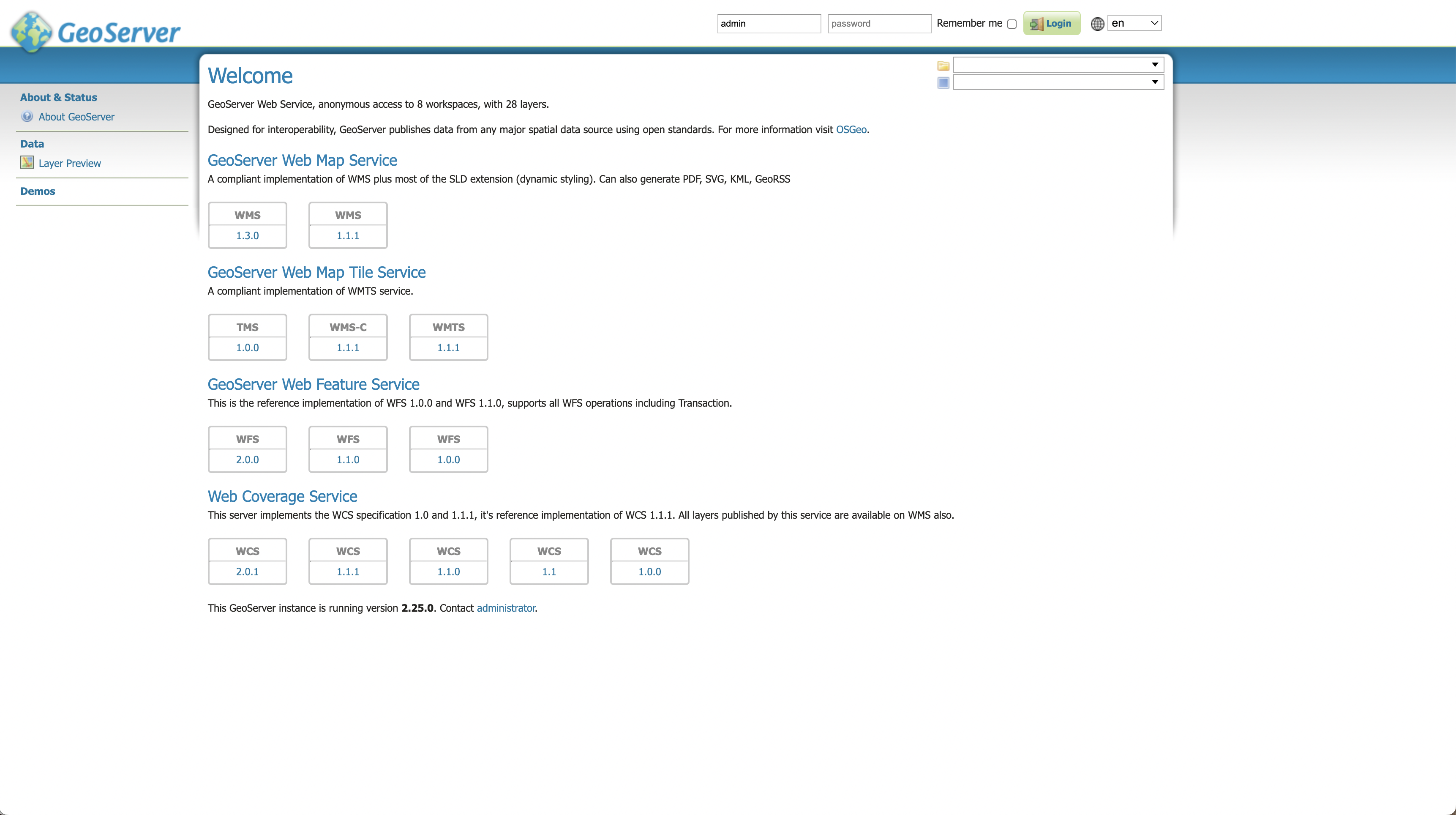
This is the ‘Web Administration Interface’ of GeoServer that lets you create OGC web services, such as WMS (Web Map Service) and WFS (Web Feature Service).
💡 Tip
If you do not see such an image:
- Check if your Apache Tomcat server is running
- Check the admin panel to see if GeoServer is deployed
💡 Tip
You can login with the default username and password, which are:
- Username:
admin- Password:
geoserver